For tournamentsTeaser
Broadcast Studio
Run tournament overlays from a control room. Press Take and they're live in OBS.
The production hub for Teamfight Tactics
Run live standings, player boards and results from one control room, straight into OBS. Free for community tournaments.

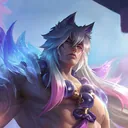
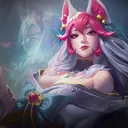

 5Blossom
 2Spellweaver
 1Attuned
 1Avatar
Built by the GLG production team behind




See it in action
One short video for each product. Pick the one that fits you, or watch both.
For tournamentsTeaser
Run tournament overlays from a control room. Press Take and they're live in OBS.
For creatorsFeature tour
Build a comp once and export it for TikTok, Reels, Shorts and YouTube. Free, no account.
Most community tournaments go live with the default spectator camera and a static frame. Viewers can't tell who's winning, what anyone is building, or why the next fight matters. GLG eStudio puts the whole lobby on screen.
Organizers run live events from the Broadcast Studio. Creators make posts and videos in the Creator Hub. Both use the same champions, traits and items, updated every set.
For tournaments
Early accessLive standings, player boards and results. Switch them from a control room and show them in OBS with one URL.
For creators
Free, open nowBuild a comp, highlight your carries and export a graphic sized for TikTok, Reels, Shorts or YouTube.
Broadcast Studio
Line up the next graphic in Preview while viewers watch Program. Press Take to swap them, so nothing reaches the stream by accident.
5Blossom2Spellweaver1Attuned1AvatarTry it: pick a scene and a player, then press Take.
Standings, boards, results and sponsors sit in a single grid.
Every scene and Take has a key, so your hands stay put mid-fight.
Producers run graphics while casters read stats from their own view.
A full graphics package from day one. Every scene reads your tournament data, so nothing gets typed twice.

 8Riftbeast
 2Invoker
 2Ravager
 1Apex Predator
Units, stars, items and active traits for any player in the lobby.
Points and positions update the moment you confirm a result.
Call out a 3-star or a legendary the moment it lands.
Placements and points, imported from Riot match data.
 4Fae
 5Elderwood
 3Sprykin
 2Brawler
The board that took first, ready the second the game ends.
Points, average placement and recent games for two players, side by side.
Name bars for casters and players that match the rest of the show.
Your identity, not ours
Pick a template, add your logo and colors, and every graphic updates at once. Same data, a different show.
Bring your own
Rounds, games and your scoring table. Use standard 8 to 1 points or your own rules, with tiebreakers.
Ranks and match history come from Riot's official API. No spreadsheets to keep in sync.
Choose a template, upload logos and sponsors, and set your colors once.
Add it as a Browser Source at 1920 × 1080. Transparent background, no plugin.
https://glgstudio.gg/b/copa-obsidianaCreator Hub
Pick the units, mark the carries, write the hook and export. Vertical layouts keep your comp clear of the buttons and captions that TikTok, Reels and Shorts draw on top.
Set 18: Enchanted Wilds · Patch 18.4
5211 1
 1
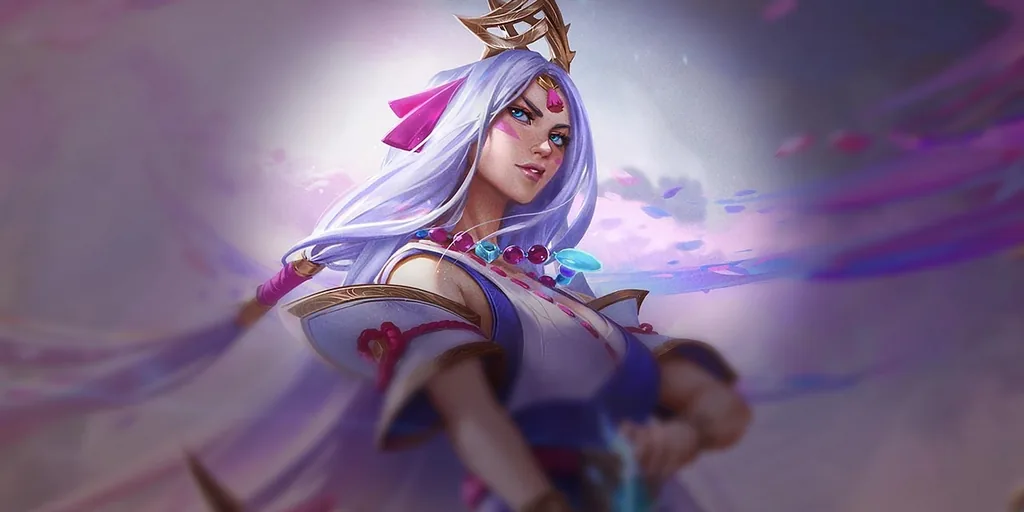 5Blossom2Spellweaver1Attuned1Avatar1Emerald Aspect1Greenfather
Find any champion by name, cost or trait. Traits count themselves as you build, emblems included.
Mark the units that matter. They get the accent frame, the big art and their items up front.
Camera, hook, gameplay and comp in one frame. The video windows export transparent, so the PNG drops right over your clip.
1080 × 1920 for Reels, TikTok and Shorts. 1080 × 1350 for feed posts. 1920 × 1080 for YouTube and streams.
Free. No account. Share any comp with a link.
GLG eStudio only uses data Riot approves, and broadcast graphics never reach anyone playing in the lobby.
Every feature that uses Riot data stays free. If GLG eStudio helps your event or your channel, you can chip in. If your event needs more, we build it with you.
Everyone
Fans of the project
Pay what you want, once or monthly. It keeps the servers running and new layouts coming every set.
Leagues and big events
Priced per event, only when you need them.
No. GLG eStudio is made by GLG, an independent esports broadcast studio in Mexico. It isn't endorsed by Riot Games.
Yes. Build, export and share as many graphics as you want. No account and no forced watermark: the GLG eStudio credit is optional.
Set 18, Enchanted Wilds. Champions, traits and items come from Riot's official game data and update when a new set lands.
No. Every broadcast gets a URL you add as a Browser Source at 1920 × 1080. It works in any streaming software with a browser input.
Live board data needs a broadcast feed authorized by Riot, and we're applying for one. Until then, final boards come from match results and live scenes run in Simulation mode.
No. Broadcast graphics go to the stream only, and GLG eStudio never gives in-game recommendations. That's a hard rule, not a setting. We also recommend a stream delay for every event.
Yes. Every label on every overlay is editable, and the default templates come in English and Spanish.
Through optional support from the community and paid services for big events, like custom overlay design and a production crew on event day. Features that use Riot data never go behind a paywall.
Create a free account and run your event from the browser. Nothing to install.
Making content? The Creator Hub is already open.Open the Creator Hub
Set up your event, put graphics on air in OBS and post results.
Donate any amount to unlock the full studio, from the caster booth to the layout editor.
Have an account? Sign in